
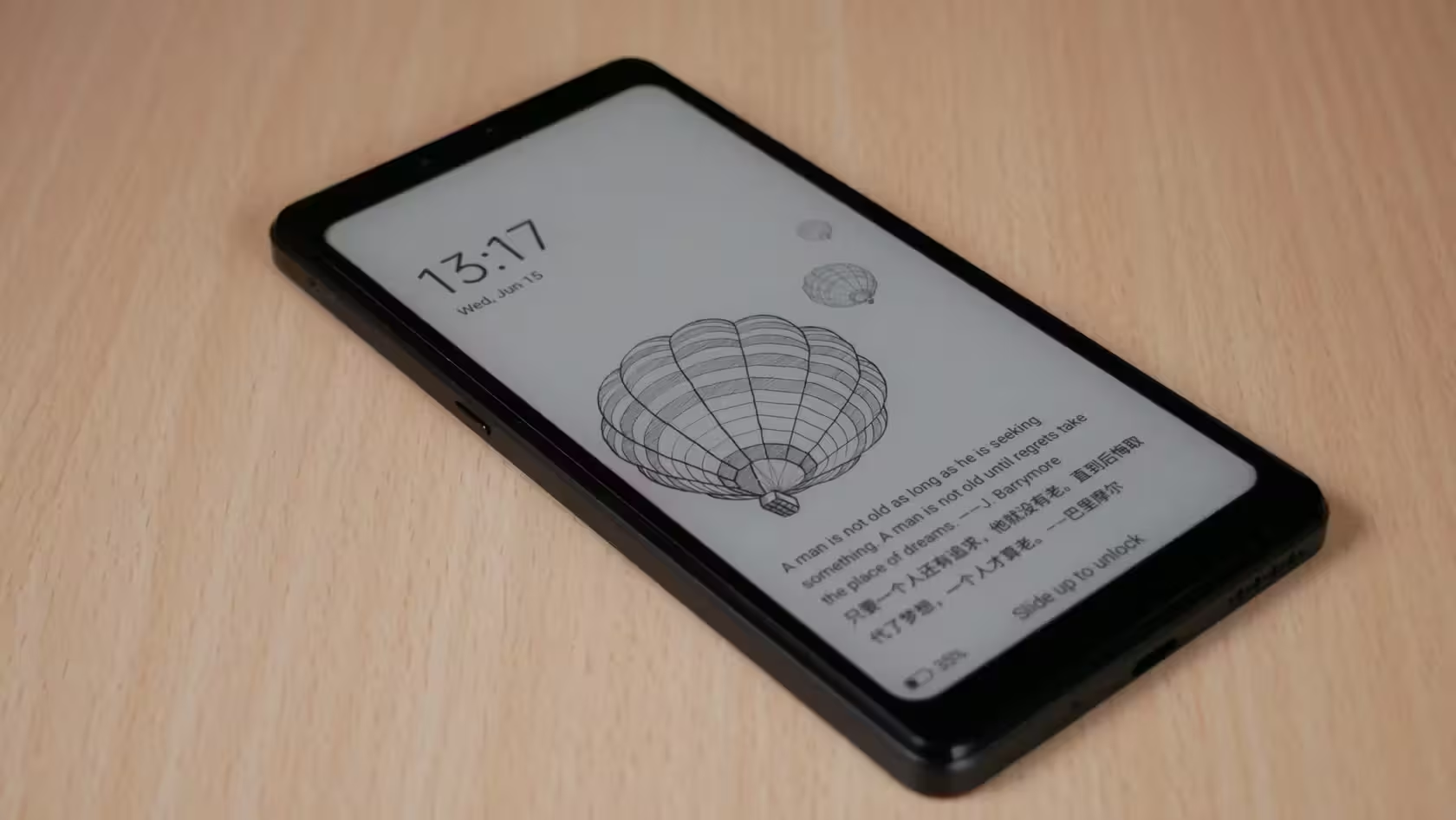
Hisense A9 is a very unique phone that uses an e-ink screen instead of ordinary light-emitting screens. I purchased it to cut down on my phone screen time and to use my phone more intentionally.
For past few days I have been trying to debloat the phone. It comes with preinstalled chinese apps. I have analyzed the traffic going from/to the phone and blocked anything related to China. I thought I would share my process.
Monitoring
If you would like to monitor the traffic on your phone and happen to have Mikrotik router, you can use the Packet sniffer tool to redirect the traffic to your computer. Open the Packet sniffer tool in RouterOS, set streaming enabled, server ip to your computer, streaming port to 37008, filter stream by the phone ip (need to be connected to wifi and LTE disabled of course). Then on the computer, start Wireshark and create a capture filter for the given port 37008. Then you will see all traffic going from/to your phone on your computer.
Tip: to filter out legitimate (?) traffic going to Google, use this display filter:
!(ip.dst >= 142.250.0.0 && ip.dst <= 142.251.255.255) && !(ip.src >= 142.250.0.0 && ip.src <= 142.251.255.255)Traffic
Immediately, you will see a LOT of traffic going towards China ip addresses. I have monitored the traffic and pinpointed several domains and ip ranges to block. The main sources of traffic are qq.com andtaobao.com but there is many more, for example hismarttv.com, sogou.com, bizport.cn and others. I decided to block those domains using the hosts file.
There is also one stream of traffic going to “China Mobile communications corporation” ip address that does not use a domain name and connects directly to an ip address (120.198.203.156). There are also pings going to Chinese IP addresses (probably only for checking the network status but one never knows). It is not possible to stop this traffic only by blocking DNS requests so all of this needs to be blocked by configuring the firewall using iptables.
Guide – How to block all traffic going to China
You need to have a rooted phone and connect to it using ADB. Prepare a file called “hosts” with the following contents:
127.0.0.1       localhost
::1             ip6-localhost
127.0.0.1       api.hismarttv.com
127.0.0.1       bas.phone.hismarttv.com
127.0.0.1       cs.map.qq.com
127.0.0.1       g.cn
127.0.0.1       get.sogou.com
127.0.0.1       ime.gtimg.com
127.0.0.1       mazu.3g.qq.com
127.0.0.1       sdkapiv2.bizport.cn
127.0.0.1       tools.3g.qq.com
127.0.0.1       v2.get.sogou.com
127.0.0.1       wap.dl.pinyin.sogou.com
127.0.0.1       world.taobao.com
127.0.0.1       worldwide.sogou.com
127.0.0.1       ws-keyboard.shouji.sogou.com
127.0.0.1       www.qq.com
127.0.0.1       www.taobao.com
127.0.0.1       taobao.com
127.0.0.1       olapi1.bizport.cn
127.0.0.1       olapi2.bizport.cn
127.0.0.1       olapi3.bizport.cn
127.0.0.1       olapi4.bizport.cn
127.0.0.1       olapi5.bizport.cn
127.0.0.1       olapi6.bizport.cn
127.0.0.1       olapi7.bizport.cn
127.0.0.1       olapi8.bizport.cn
127.0.0.1       olapi9.bizport.cn
127.0.0.1       olapi10.bizport.cn
127.0.0.1       olapi11.bizport.cn
127.0.0.1       pubserver1.bizport.cn
127.0.0.1       pubserver2.bizport.cn
127.0.0.1       pubserver3.bizport.cn
127.0.0.1       pubserver4.bizport.cn
127.0.0.1       pubserver5.bizport.cn
127.0.0.1       pubserver6.bizport.cn
127.0.0.1       pubserver7.bizport.cn
127.0.0.1       pubserver8.bizport.cn
127.0.0.1       pubserver9.bizport.cn
127.0.0.1       pubserver10.bizport.cn
127.0.0.1       feed.hismarttv.com
127.0.0.1       lbs.map.qq.com
127.0.0.1       api.map.baidu.com
127.0.0.1       api-hmct-phone.hismarttv.com
127.0.0.1       gateway.sogou.com
127.0.0.1       hshh.org
127.0.0.1       clock.cuhk.edu.hk
127.0.0.1       resource-cmp.hismarttv.com
127.0.0.1       api-gps.hismarttv.com
127.0.0.1       unified-ter.hismarttv.com
127.0.0.1       0.0.192.120.in-addr.arpa
127.0.0.1       analytics.map.qq.com
127.0.0.1       nlp.map.qq.com
127.0.0.1       latest.map.qq.com
127.0.0.1       hisense.api.izd.cn
127.0.0.1       hisense.bizport.cn
After that run the following commands (edit the hosts file path):
adb push path/to/your/hosts/file /sdcard
adb shell
su
mount -o rw,remount /
cp /sdcard/hosts /system/etc/hosts
After that, set up firewall rules that filter the 120.198.0.0/10 ip block. We need to make the firewall rules persistent across phone reboots so we write the rules into init files. The echo command is multiline, just copy the whole command.
cd /system/etc/init
echo "on boot
    exec u:r:magisk:s0 -- /system/bin/iptables -A INPUT  -s 120.192.0.0/10 -j DROP
    exec u:r:magisk:s0 -- /system/bin/iptables -A OUTPUT -d 120.192.0.0/10 -j DROP
    exec u:r:magisk:s0 -- /system/bin/iptables -A INPUT  -s 43.129.0.0/21 -j DROP
    exec u:r:magisk:s0 -- /system/bin/iptables -A OUTPUT -d 43.129.0.0/21 -j DROP
    exec u:r:magisk:s0 -- /system/bin/iptables -A OUTPUT -d 119.29.29.29 -j DROP
    exec u:r:magisk:s0 -- /system/bin/iptables -A OUTPUT -d 114.114.114.114 -j DROP
    exec u:r:magisk:s0 -- /system/bin/iptables -A OUTPUT -d 223.5.5.5 -j DROP
" > myboot.rc
And you are done! After these adjustments, I have observed the traffic and the phone is dead silent, if you ignore the traffic to the Google servers. A caveat is that if an application phones home once a day or once a week, I have probably missed the traffic and so there might still be some things left to block. Please share if you find more domans/ips to block!


Leave a Reply